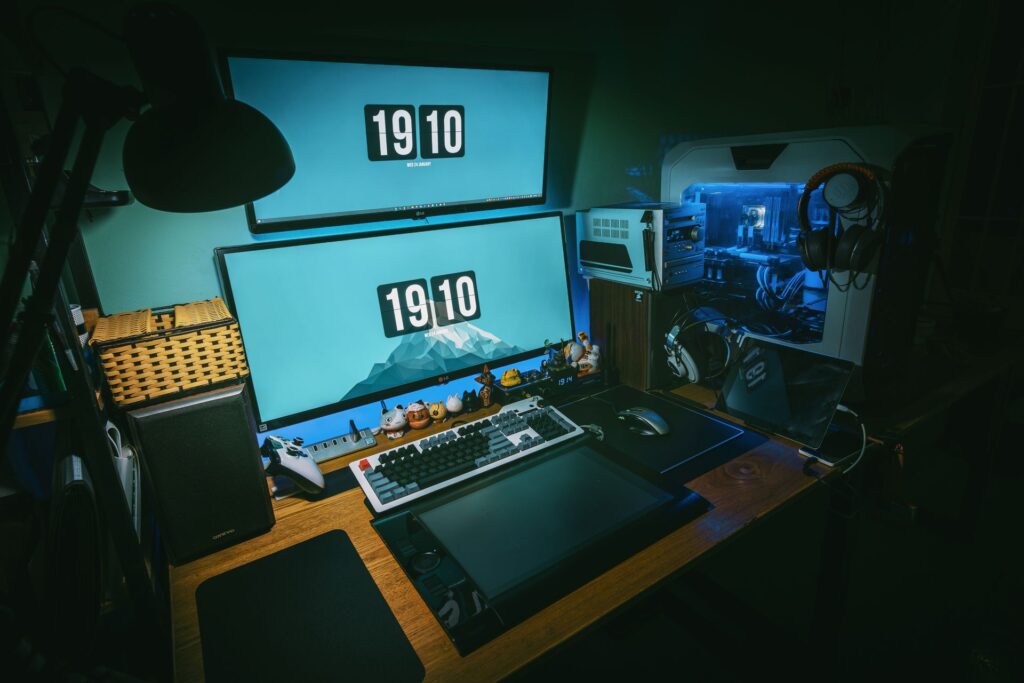

Do you ever feel your gaming experience is missing something? Maybe you’re tired of the sound not matching the action or dialogue getting lost in the noise. You’re not alone.
This is where gaming audio optimization comes into play. It’s not just about cranking up the volume. It’s about fine-tuning every detail to make sure you catch every whisper, every footstep, and every explosion exactly as intended.
I’ve been around the block (probably one too many times) with gaming setups. I’ve tested the highs and lows (literally.) This article isn’t just another generic guide. We dive into what makes sound in games pop and work with leading experts to make sure you’ve got the best possible experience.
Does it sound like magic? Kind of. But it’s also rooted in tech that you can master.
Stick around. By the end, you’ll hear the difference but feel it too. Ready to level up your gaming audio?
Let’s jump in.
Audio Magic: Raise Your Game
Great audio isn’t just about explosions. It’s about information. Ever hear a footstep in Call of Duty or Valorant and know exactly where the enemy is?
That’s what we call a soundstage. It’s like having a mental map of every sound’s origin. Imaging, on the other hand, helps you pick out each sound clearly, so you know if that reload click came from the left or right.
In a MOBA like League of Legends, identifying enemy ability cues can be a game-changer. And in RPGs like Elden Ring, audio pulls you into the world, making every creak and whisper feel real. Contrast this with poor audio where everything mashes together, leaving you guessing.
Muddy audio? That’s a no-go.
Investing in audio is smart. It’s one of the most cost-effective ways to boost your gameplay. Let’s not forget that a cable management tidy gaming desk can boost your setup even further.
Gaming audio optimization isn’t just hype. It’s a secret weapon that makes you better. So why settle for less?
Upgrade your audio and transform your gaming experience. Feel the difference.
Hardware Upgrades: Unlocking Better Sound
Gaming Headsets: Your First and Most Important Upgrade
Let’s talk gaming headsets. They’re a game-changer (pun intended) in gaming audio optimization. The first step to better sound is picking the right headset.
Closed-back, on the other hand, provides excellent noise isolation, which is perfect for when the world around you is just too loud. Plus, they often have punchier bass, which can make explosions and gunfire feel more intense.
You might be wondering, should you go for open-back or closed-back? Open-back headsets offer a wider soundstage. This makes them great for quiet environments where you want to feel like you’re in the game.
Now, wired or wireless? Ah, the age-old debate. Wired headsets traditionally had the edge in sound quality, but modern wireless tech is closing the gap fast.
For most gamers, the latency of wireless headsets is now negligible. You won’t notice a delay unless you’re some kind of superhuman (and if you are, congrats). I mean, sure, wires can be a pain, but cutting them out is freeing, isn’t it?
DACs and Amps: Powering Your Audio
Let’s demystify DACs and amps. A DAC (Digital-to-Analog Converter) translates the 1s and 0s from your device into sound. Simple, right?
An amp then gives that sound the power it needs to be heard at its best. Not everyone needs these, though. If you’re using standard gaming headsets, you might not notice a difference.
But if you have high-impedance headphones or suffer from noisy onboard audio, a separate DAC/amp combo could be your savior.
Wondering if this is for you? If you’re into serious gaming or audiophile-level sound, investing in quality audio gear is key. Upgrading your hardware doesn’t just boost the experience; it can give you that competitive edge (hearing footsteps before anyone else is a real advantage).
Don’t just take my word for it. Check out this overview for more on how these devices can transform your setup.
In the end, it all boils down to preference and budget. But trust me, once you experience truly immersive sound, you’ll never want to go back.
Software Tweaks: Free & Solid Sound Enhancements
Ever thought about squeezing every drop of sound quality from your setup without spending a dime? to some gaming audio optimization tactics. These tweaks work wonders and cost nothing.

Mastering the Equalizer (EQ)
EQ changes everything. It’s like having a magic wand for your audio. With a good EQ, you can boost or cut specific frequencies.
For gamers, that could mean enhancing the sounds that matter most, like footsteps. Pro tip: In first-person shooters, try slightly lowering the low frequencies. It tones down that annoying explosion rumble.
Then, boost the mid-highs. footsteps and gun reloads hide. Trust me, you’ll hear more and die less.
Virtual Surround Sound Explained
Okay, let’s talk surround sound. No, you don’t need a monster speaker setup. Technologies like Windows Sonic, Dolby Atmos, and DTS Headphone:X can simulate a 7.1 surround system in your stereo headphones.
This means you hear things before you see them. It’s like having Spidey-sense in your ears. But here’s the catch: only let ONE form of virtual surround.
Use either in-game settings or system-level, but not both. Otherwise, you’ll get weird audio effects. It’s like two DJs playing different tracks at the same time (confusing,) right?
And never skip checking your in-game audio settings first. Always look for a ‘Headphones’ or ‘Hi-Fi’ preset in the options menu. It’s usually buried somewhere, but it’s worth the search.
Doing this means your game is optimized for headphone use. Your ears will thank you.
Don’t you love when things just work together? Like finding the important tools perfect gaming setup. It’s these small tweaks that make all the difference in gaming.
They’re simple but solid. And best of all, free. So go ahead and give it a shot.
Feel the difference without spending a cent.
Sound Matters: PC, Console, and Gamesticks
Let’s talk gaming audio optimization because sound isn’t just background noise (it’s) part of the experience. On PC, you’re in luck. It’s like having a blank canvas.
You can tweak using third-party EQ software like Equalizer APO. And if you’re the savvy type, external DACs can make a world of difference. Seriously, if you haven’t tried it, you’re missing out.
Consoles like PS5 and Xbox? They’ve stepped up their game. PS5’s Tempest 3D AudioTech is no joke.
Now, gamestick emulators. Don’t worry, I haven’t forgotten you. They mostly run simple stereo via HDMI, which isn’t terrible but not great either.
Xbox’s Dolby/DTS integration is a game-changer. Sure, you can fiddle with settings, but why not go straight to the source? Connect directly through the controller’s headphone jack or use a wireless headset for the best results.
I say, make the most of what you’ve got. Use your TV’s built-in ‘Game’ mode or better yet, connect to a soundbar. It’s a practical upgrade over TV speakers and trust me, your ears will thank you.
Sound may not be everything, but it’s pretty darn close.
Tune In For Better Gaming
You know what’s frustrating? Bad audio ruining your gaming experience. It puts you at a disadvantage and kills immersion.
But here’s the good news: gaming audio optimization is within reach. Try a free EQ tweak or snag a new headset. Want a quick fix?
Before you do anything else, open your game’s settings and switch to ‘Headphones.’ It’s the simplest step with the biggest impact. Don’t wait. Boost your gaming audio now and start hearing the difference tonight.
 Technical & Console Performance Lead
Ask MagneticSpartan how they got into console performance comparisons and you'll probably get a longer answer than you expected. The short version: MagneticSpartan started doing it, got genuinely hooked, and at some point realized they had accumulated enough hard-won knowledge that it would be a waste not to share it. So they started writing.
What makes MagneticSpartan worth reading is that they skips the obvious stuff. Nobody needs another surface-level take on Console Performance Comparisons, Gaming Setup Tune-Up Tips, Gamestick Emulator Optimization. What readers actually want is the nuance — the part that only becomes clear after you've made a few mistakes and figured out why. That's the territory MagneticSpartan operates in. The writing is direct, occasionally blunt, and always built around what's actually true rather than what sounds good in an article. They has little patience for filler, which means they's pieces tend to be denser with real information than the average post on the same subject.
MagneticSpartan doesn't write to impress anyone. They writes because they has things to say that they genuinely thinks people should hear. That motivation — basic as it sounds — produces something noticeably different from content written for clicks or word count. Readers pick up on it. The comments on MagneticSpartan's work tend to reflect that.
Technical & Console Performance Lead
Ask MagneticSpartan how they got into console performance comparisons and you'll probably get a longer answer than you expected. The short version: MagneticSpartan started doing it, got genuinely hooked, and at some point realized they had accumulated enough hard-won knowledge that it would be a waste not to share it. So they started writing.
What makes MagneticSpartan worth reading is that they skips the obvious stuff. Nobody needs another surface-level take on Console Performance Comparisons, Gaming Setup Tune-Up Tips, Gamestick Emulator Optimization. What readers actually want is the nuance — the part that only becomes clear after you've made a few mistakes and figured out why. That's the territory MagneticSpartan operates in. The writing is direct, occasionally blunt, and always built around what's actually true rather than what sounds good in an article. They has little patience for filler, which means they's pieces tend to be denser with real information than the average post on the same subject.
MagneticSpartan doesn't write to impress anyone. They writes because they has things to say that they genuinely thinks people should hear. That motivation — basic as it sounds — produces something noticeably different from content written for clicks or word count. Readers pick up on it. The comments on MagneticSpartan's work tend to reflect that.