
Whether you’re comparing console performance, tweaking emulator settings, or diving into trending game highlights, understanding what’s happening under the hood can completely change how you play. Many gamers search for clearer breakdowns of core mechanics, smoother performance, and smarter setup optimizations—but most guides only scratch the surface.
This article is built to close that gap. We’ll explore how core systems like physics engines in games influence realism, responsiveness, and overall gameplay feel, while also examining performance differences across platforms and how to optimize your setup for the best possible experience. From frame rate stability to mechanical depth, every section is designed to help you make informed decisions about how and where you play.
Our insights are grounded in hands-on testing, technical performance comparisons, and deep analysis of real gameplay scenarios—so you’re not just getting theory, but practical guidance you can apply immediately.
Realistic physics can feel mysterious, so let’s simplify it. In games, physics means the rules that govern movement, gravity, collisions, and force. Think of it as the invisible referee deciding how objects behave. When a crate falls or a car skids, physics engines in games calculate those outcomes.
However, realism is not the same as fun. Hyper-accurate simulations demand heavy processing power, which can hurt frame rates. Consequently, developers often choose “believable” over “perfect.” For example, exaggerated jumps in platformers feel better than real-world gravity (sorry, Isaac Newton). Ultimately, smart design balances immersion, performance, and player expectation. Test early often.
The Core Trade-Off: Immersion vs. Performance
When developers talk about “realistic” physics, they usually mean simulation physics—systems that mimic real-world forces like gravity, friction, and momentum. Think Gran Turismo, where tire grip, weight transfer, and braking distance all matter. By contrast, arcade physics prioritizes fun and predictability—Mario Kart lets you drift around corners at absurd angles because it feels good (not because it’s scientifically accurate).
Here’s the catch: realism is expensive. Collision detection (how objects detect impact), rigid body dynamics (how solid objects move and rotate), and fluid simulation (how water, smoke, or fire behaves) are CPU-intensive. On consoles and lower-end PCs, these calculations can become a PERFORMANCE BOTTLENECK, dropping frames when too many objects interact at once. Even modern physics engines in games must carefully balance accuracy with speed.
Some argue that MORE REALISM ALWAYS EQUALS BETTER IMMERSION. Not necessarily. Hyper-realistic handling can feel sluggish or punishing. Unpredictable object reactions may frustrate players instead of delighting them. The real goal is believability—physics that feel right.
Ask yourself:
- Does this interaction support the CORE GAMEPLAY LOOP?
- Does it add clarity or confusion?
- Will players notice—or just the CPU?
Pro tip: Prototype physics early and test on target hardware before scaling complexity.
Choosing Your Physics Engine: Unity vs. Unreal vs. Custom
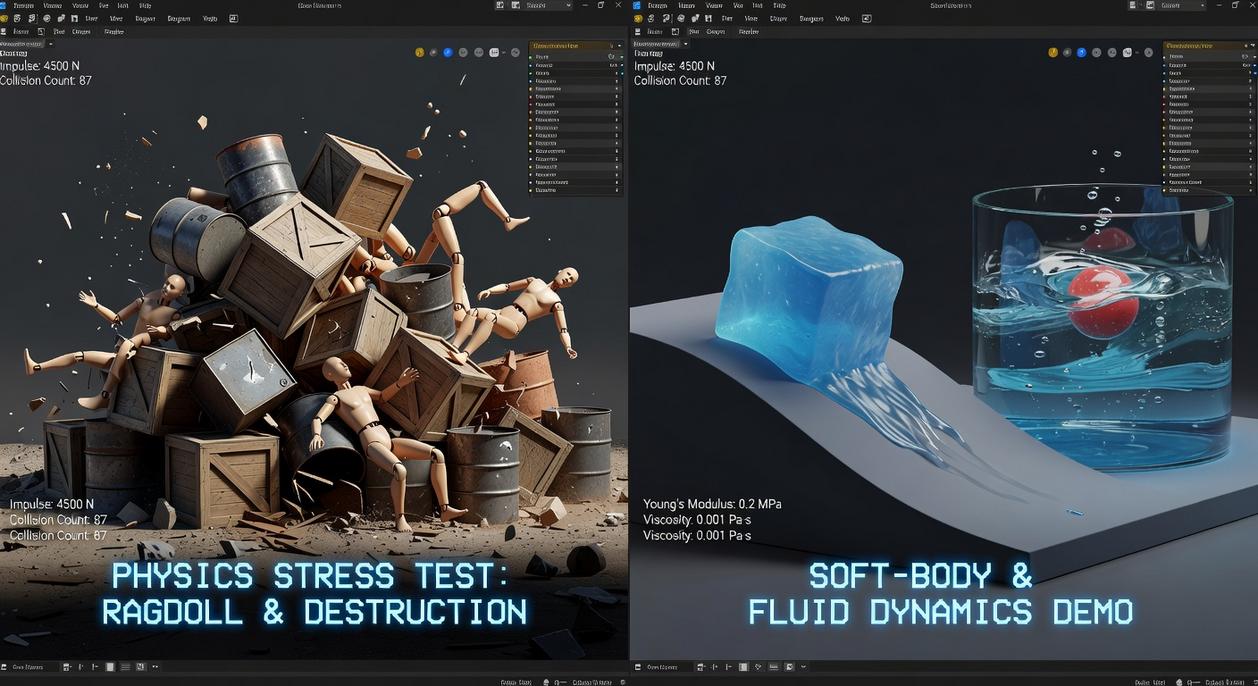
Have you ever wondered why one game’s explosions feel like a Hollywood set piece while another’s feel… floaty? The answer usually comes down to the engine.
Unity’s Physics Systems (PhysX/DOTS)
Unity’s default PhysX integration is known for accessibility and solid cross-platform performance, especially on mobile. It’s approachable, well-documented, and great for indies who want reliable collisions, ragdolls, and vehicle physics without heavy customization. But when object counts climb into the thousands, traditional setups can struggle.
That’s where DOTS (Data-Oriented Technology Stack) physics comes in. Data-oriented design means structuring code around how data is processed in memory, improving performance at scale. If you’re building a battlefield with swarms of entities, DOTS can handle massive object counts more efficiently. The trade-off? A steeper learning curve. Are you ready to rethink how you structure gameplay systems?
Unreal Engine’s Chaos Physics
Unreal’s Chaos physics shines in large-scale destruction and cinematic realism. Think collapsing skyscrapers or debris reacting dynamically during firefights. Chaos is built for spectacle. For vehicle physics and character ragdolls, performance is strong, though often heavier than Unity’s PhysX in lightweight scenarios. If your game’s identity revolves around destruction, can you afford not to prioritize Chaos?
Custom & Specialized Engines
Sometimes built-in tools aren’t enough. Complex flight simulators or scientific simulations may demand custom solvers or middleware like Havok. This is expert territory—powerful, but resource-intensive.
Decision Framework
Ask yourself:
- What’s the target platform?
- How many dynamic objects are active?
- Is destruction core to gameplay?
- What’s your team’s skill level?
Choosing between physics engines in games isn’t about hype—it’s about fit. So, what does your game truly need?
Practical Tips for Optimizing Physics Simulations
The Power of Baking
First, let’s talk about “baking.” In physics, baking means pre-calculating simulations and saving the results as animations. Instead of calculating every brick falling in real time, you record the destruction once and replay it. The result? Massive CPU savings. This is perfect for non-interactive moments like collapsing towers or cinematic debris. Some developers argue real-time simulation feels more dynamic. True—but if players can’t meaningfully change the outcome, you’re just burning performance for bragging rights (and maybe one cool slow‑mo clip).
Collider Complexity Matters
Next up: colliders. A collider defines the shape used for collision detection. Simple colliders—boxes, spheres, capsules—are computationally cheap. Mesh colliders match detailed geometry but cost far more. Rule of thumb: if precision doesn’t change gameplay, go simple. For example, a crate can use a box collider even if it has beveled edges. Reserve mesh colliders for irregular terrain or unique interaction points. Pro tip: combine multiple simple colliders to approximate complex shapes—it’s often faster than one detailed mesh.
Leveraging Physics Layers
Now, let’s reduce unnecessary math. Layer-based collision matrices let you control which object categories interact. If scenery objects never need to collide with each other, disable those checks. Fewer checks mean fewer calculations per frame. In large scenes, this alone can stabilize performance in physics engines in games. Think of it as assigning seating charts at a wedding—only the guests who need to interact share a table.
Fixed Timestep Tuning
Finally, Fixed Timestep controls how often physics updates occur. Lower values increase accuracy but cost performance. Higher values save CPU but risk jitter. For fighting games, start around 0.01–0.02 seconds. For strategy or puzzle titles, 0.02–0.033 often works well. It’s a balancing act—much like balancing difficulty how developers fine tune gameplay challenges.
Case studies show how smart physics design transforms play. In Red Dead Redemption 2, the Euphoria engine simulates muscle reactions and balance, so gunfights feel weighty and unscripted (no two stumbles look the same). The benefit: immersion that sells every punch and fall.
Tears of the Kingdom takes a different route. Its Ultrahand relies on consistent rules, letting players fuse objects into bridges, drones, or accidental disasters. Because system is predictable, creativity flourishes.
- Feature: systemic interaction
- Benefit: emergent solutions
Then there’s Goat Simulator. Its intentionally chaotic physics engines in games prove realism isn’t mandatory; exaggerated glitches become joke
Finding the sweet spot between realism and fun in game design starts with intention. You do not need perfect simulations; you need purposeful ones. Many developers overload physics engines in games chasing realism, then wonder why performance tanks. Instead, map your core gameplay loop and ask: which interactions truly matter? If your platformer relies on tight jumps, nail gravity and collision; background debris can be simplified. (Think arcade classics that felt great without simulating every pebble.) Pro tip: set a physics budget during prototyping and test early on target hardware. Realism should support fun, not sabotage it. From day one.
Level Up Your Gameplay With Smarter Performance Choices
You came here to better understand how modern mechanics, console performance differences, and physics engines in games impact your overall gaming experience. Now you have a clearer picture of how these elements shape responsiveness, realism, and competitive edge.
Lag, unstable frame rates, and poorly optimized settings can ruin even the most exciting titles. Whether you’re comparing consoles, tweaking emulator performance, or fine‑tuning your setup, the difference between average and exceptional gameplay comes down to informed adjustments.
The next step is simple: apply what you’ve learned. Optimize your system settings, benchmark your performance, and stay updated on emerging mechanics that push realism further. Don’t let poor optimization hold you back.
If you’re serious about smoother gameplay, sharper mechanics, and maximizing every frame, explore more in-depth performance breakdowns and setup guides right now. Join thousands of gamers who rely on proven insights to eliminate lag, boost stability, and play at their absolute best. Your upgrade starts today.