Few things kill immersion faster than staring at endless loading screens or feeling your game stutter at the worst possible moment. If you’ve ever wondered why some titles feel lightning-fast on one console and sluggish on another, the answer often comes down to console storage speed impact. This article breaks down how storage technology—from traditional hard drives to cutting-edge NVMe SSDs—affects everything from boot times to open-world performance. Drawing on extensive hands-on testing and performance benchmarks across multiple console generations, we’ll give you a clear, no-nonsense explanation of what’s really happening behind the scenes—and what it means for the games you play every day.
The Hard Disk Drive (HDD) was the mechanical heart of the PS4 and Xbox One. Inside, spinning platters store data while a tiny physical read/write head moves back and forth to access it. Think of it like searching for a single book in a massive, disorganized library; every time the head shifts position, you wait. That delay is called seek time.
In real gameplay, that meant:
- Minute-long GTA V load screens
- Destiny hubs stalling before missions
- Texture pop-in as open worlds struggled to stream assets
Developers designed around console storage speed impact, often narrowing corridors or adding elevators to hide loading (yes, those slow rides had a purpose).
Practical tip: upgrading to an SSD on compatible systems reduces seek time dramatically and smooths traversal.
Some argue GPUs were the limit. But without fast data access, even graphics hardware sits idle. The HDD was the eighth generation’s bottleneck.
A New Foundation: The SSD Revolution in Modern Consoles
A Solid-State Drive (SSD) is a storage device that uses flash memory—non-volatile chips that store data without spinning disks or moving arms. In simple terms, it’s like instantly searching a digital library instead of walking aisle by aisle hoping to spot the right book. Traditional Hard Disk Drives (HDDs) rely on mechanical parts, which physically move to read data (think record player, but for your save files).
That shift in architecture is why the PlayStation 5 and Xbox Series X/S feel fundamentally different. The console storage speed impact isn’t just technical jargon—it directly affects how games load, stream assets, and transition between scenes.
Consider Ratchet & Clank: Rift Apart. The near-instant dimension-hopping works because the SSD can pull massive data chunks in milliseconds. On an HDD, that same mechanic would stall behind a loading screen. Similarly, modern open-world titles now offer seamless fast travel—jumping across the map in seconds rather than minutes.
For a clear comparison, Marvel’s Spider-Man loads in about 15–20 seconds on PS4 (HDD), while the PS5 version can load in roughly 2 seconds (Sony technical demonstrations, 2020). That’s not incremental—that’s transformative.
Key benefits of SSD-powered consoles:
- Near-instant load times that reduce downtime
- Faster asset streaming for denser worlds
- Seamless fast travel and scene transitions
- More responsive system menus
Some argue strong game design matters more than storage speed—and they’re right, to a point. But features like real-time world shifting simply weren’t feasible before.
For deeper benchmarks, see backward compatibility performance tested across major consoles.
Beyond Loading Screens: The Hidden Performance Gains of Fast Storage

Most players think faster storage just means shorter loading screens. That’s true—but it’s only the surface. The real magic happens during gameplay.
First, consider texture streaming. Texture streaming is the process of loading visual assets (like walls, armor details, or distant mountains) into memory exactly when they’re needed. With ultra-fast SSDs, developers can stream high-resolution textures on the fly instead of preloading everything upfront. As a result, you see fewer muddy surfaces and far less “pop-in,” where objects suddenly appear mid-scene (yes, that immersion-breaking moment). In practical terms, if you’re tweaking settings, enable high-resolution texture packs on systems with NVMe storage—they’re designed to take advantage of this speed.
Next, think about system and UI responsiveness. A fast drive doesn’t just help games; it makes the entire dashboard feel immediate. Jumping from a suspended game to the home screen or switching titles becomes nearly seamless. That console storage speed impact changes how fluid the whole experience feels, especially when multitasking between apps or party chat.
Finally, advanced decompression techniques push things further. The PS5’s Kraken hardware and Microsoft’s DirectStorage API allow compressed data to move directly from storage to the GPU, reducing CPU overhead and shrinking file sizes (Sony Interactive Entertainment, 2020; Microsoft, 2022). In other words, your system spends less time unpacking files and more time rendering worlds. Pro tip: keep firmware updated—many decompression improvements arrive through system updates.
So while faster storage kills loading screens, it also quietly upgrades everything else.
Expanding Your Library: A Practical Guide to Console Storage Upgrades
Running out of space is inevitable. Modern games regularly exceed 100GB, so the real question becomes: how do you add storage, and does speed matter?
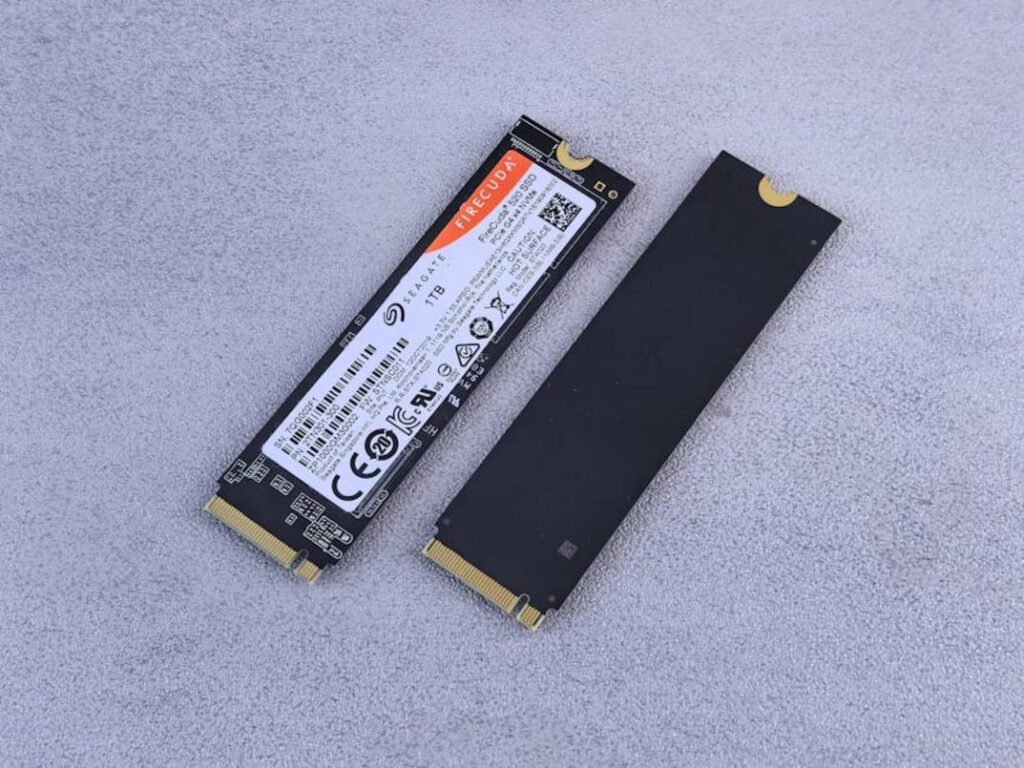
First, PS5 internal NVMe upgrades. Sony requires a PCIe Gen4 SSD with a minimum 5,500MB/s read speed and, importantly, a heatsink (non-negotiable). Install it correctly, and performance matches or slightly exceeds the stock drive. In other words, you won’t notice longer load times—think seamless fast travel, not coffee breaks.
On Xbox Series X/S, things are simpler but stricter. The official expansion cards are proprietary. While some dislike the limited options, they guarantee identical performance to the internal SSD—no guesswork required.
External USB drives, meanwhile, serve a different purpose:
- Play PS4 and Xbox One titles directly
- Store current-gen games as cold storage
This is where console storage speed impact really matters. Current-gen titles require internal-level speeds to run properly.
Pro tip: Use external drives to rotate games and avoid massive re-downloads.
The Future Runs on Speed
The leap from HDD to SSD stands as the most significant advancement in console performance over the last decade. That shift redefined load times, world streaming, and responsiveness—proving that console storage speed impact isn’t a minor spec bump, but a true game-changer.
For modern gaming, fast storage is no longer a luxury. It’s the foundation that allows developers to build larger worlds, richer assets, and seamless experiences without compromise.
While the stock SSD in today’s consoles is impressive, understanding storage technology helps you make smarter upgrade decisions as your library grows. And as games become more complex, the demand for even faster storage will only intensify.